

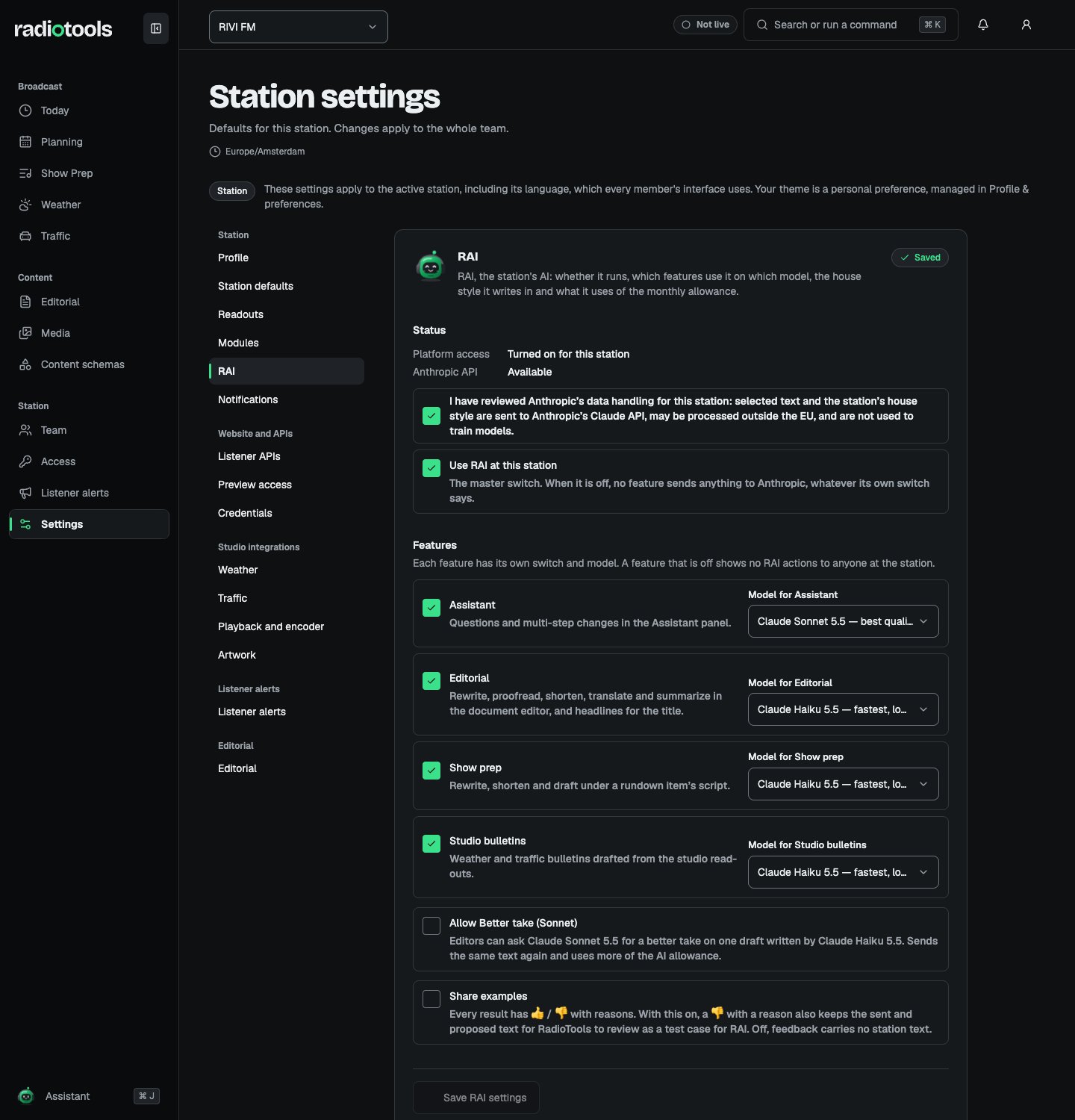
Sample: RAI turned on for RIVI FM.
What each feature sends
Editorial, show prep, and bulletin requests also send the station’s house style when one is set. Only text you explicitly send leaves RadioTools. Anthropic does not use it for training, keeps it only if its safety systems flag a request, and may process it outside the EU. RadioTools keeps generated proposals for up to 30 days. Usage records hold counts only, never text.
Review the provider terms and station policy before turning RAI on. Users see a disclosure before sending assistant messages. Avoid placing secrets, or content that your station has not approved for external processing, in a request.
Turn on RAI
- Under Status, check that Anthropic API shows Available.
- Tick the data-handling review: I have reviewed Anthropic’s data handling for this station.
- Tick Use RAI at this station. This is the master switch: when it is off, no feature sends anything, whatever its own switch says.
- Under Features, switch each feature on or off and choose its model.
- Choose Save RAI settings.
Choose models
Each feature can use either model:
Turn on Allow Better take (Sonnet) to let editors ask Claude Sonnet 5.5 for a better take on one draft written by Claude Haiku 5.5. Each better take is a new request and uses more of the AI allowance.
Turn on Share examples to let RadioTools review the sent and proposed text when someone gives a result a thumbs-down with a reason. With it off, feedback carries no station text.
Set a house style
Under House style, describe how RAI drafts should sound. Every editorial, show prep, and studio bulletin draft follows it.
Choose Save house style. The house style guides wording only: it can’t change what RAI may do. Proposals made under an older style can still be applied.
The language of on-air bulletins follows the station’s Readout language in Station settings.