Each person at a station has a role. A job can add permissions for that person only. Permissions belong to the active station; the same person can have a different role and job at another station.

Built-in roles

Owner permissions can’t be reduced. Only owners can change roles, edit role permissions, manage billing, grant support access, and export station data. Owners must use two-factor authentication to open the station, and you can only make someone an owner after they have turned it on. A station always keeps at least one owner.

Jobs on air

A job gives one person a ready-made set of permissions on top of their role. Nobody else’s access changes. Choose a job when you invite someone, or later on Team. You can also add individual permissions for one person. You can only grant permissions you hold yourself. See Team and invitations.

Edit role permissions

Owners edit what admins and members may do in Access, under Role permissions.
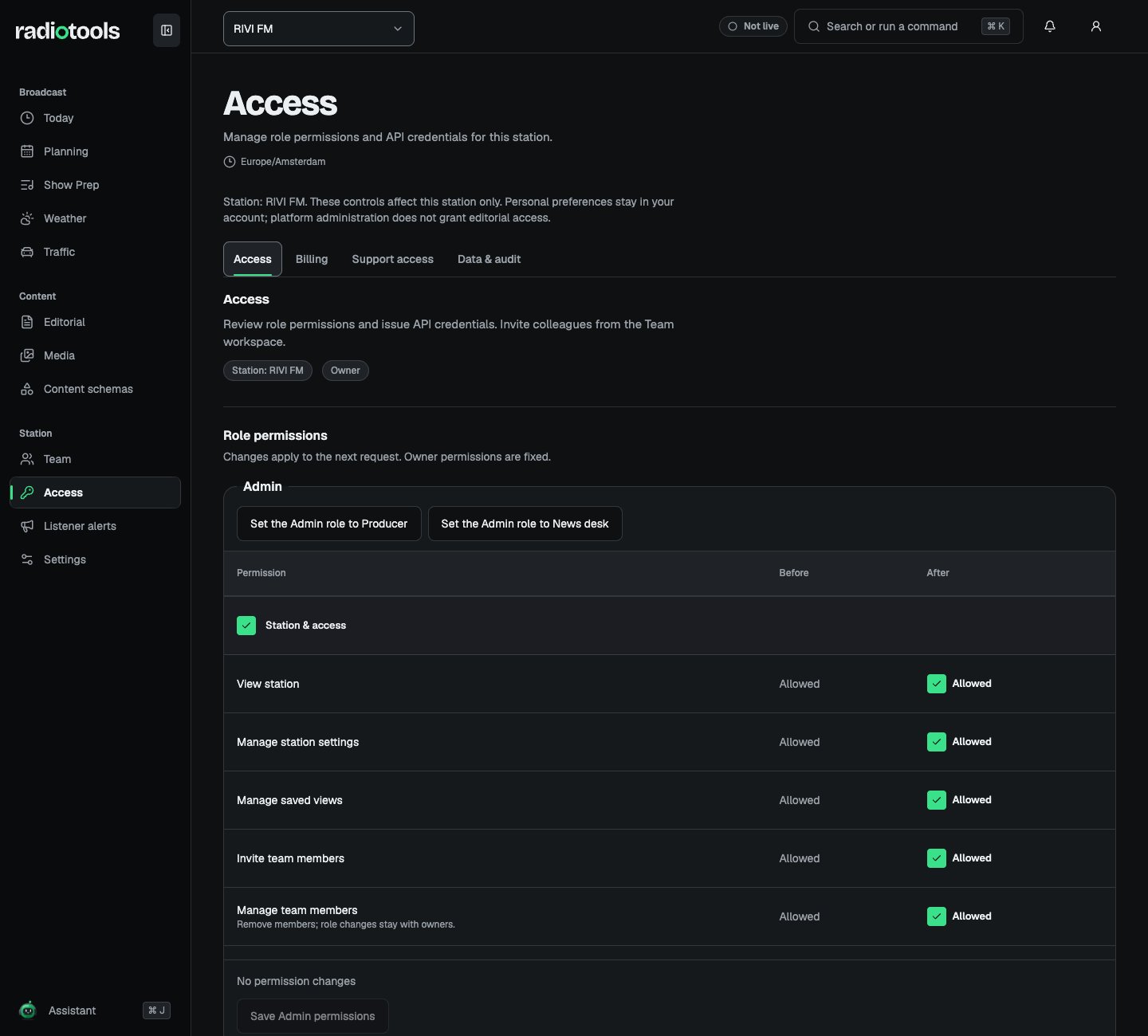
RIVI FM Access tab showing Admin role permissions with before and after columns and job presets

Sample: role permissions at RIVI FM, as seen by an owner.

  1. Open Access and find the Admin or Member role.
  2. Tick or clear permissions. They are grouped under Station & access, Editorial & content, and Broadcast & preparation.
  3. Check Review changes before saving, which lists each permission before and after.
  4. Choose Save Admin permissions or Save Member permissions.
To apply a job to a whole role, use Set the Member role to Presenter or a similar button. This changes everyone with that role. Changes apply on the next request. Admins without owner rights see Role permissions are managed by the station owner, with links to Team and Settings.

Match permissions to work

Review permissions when a team changes responsibilities. Verify the result with the affected staff member rather than assuming that an administrator label grants every action.

Permission and visibility are separate

An action permission does not automatically make every resource visible. A draft or idea may also require ownership, assignment, or explicit sharing. Administrators cannot read private staff content merely because they can manage the station. A presenter’s access follows assignment: shows they present, or broadcasts whose team they are on. Linking a presenter profile to a member on Team counts those shows as assigned. Machine credentials also follow resource and workflow rules. A token does not bypass review-required publishing or private resources.

When an action is missing

Confirm the active station, role, job, and resource assignment. Check that the station has not switched off the module, as a switched-off module is hidden for everyone. Ask an owner to review the permissions. After a membership or permission change, refresh the workspace before continuing.