

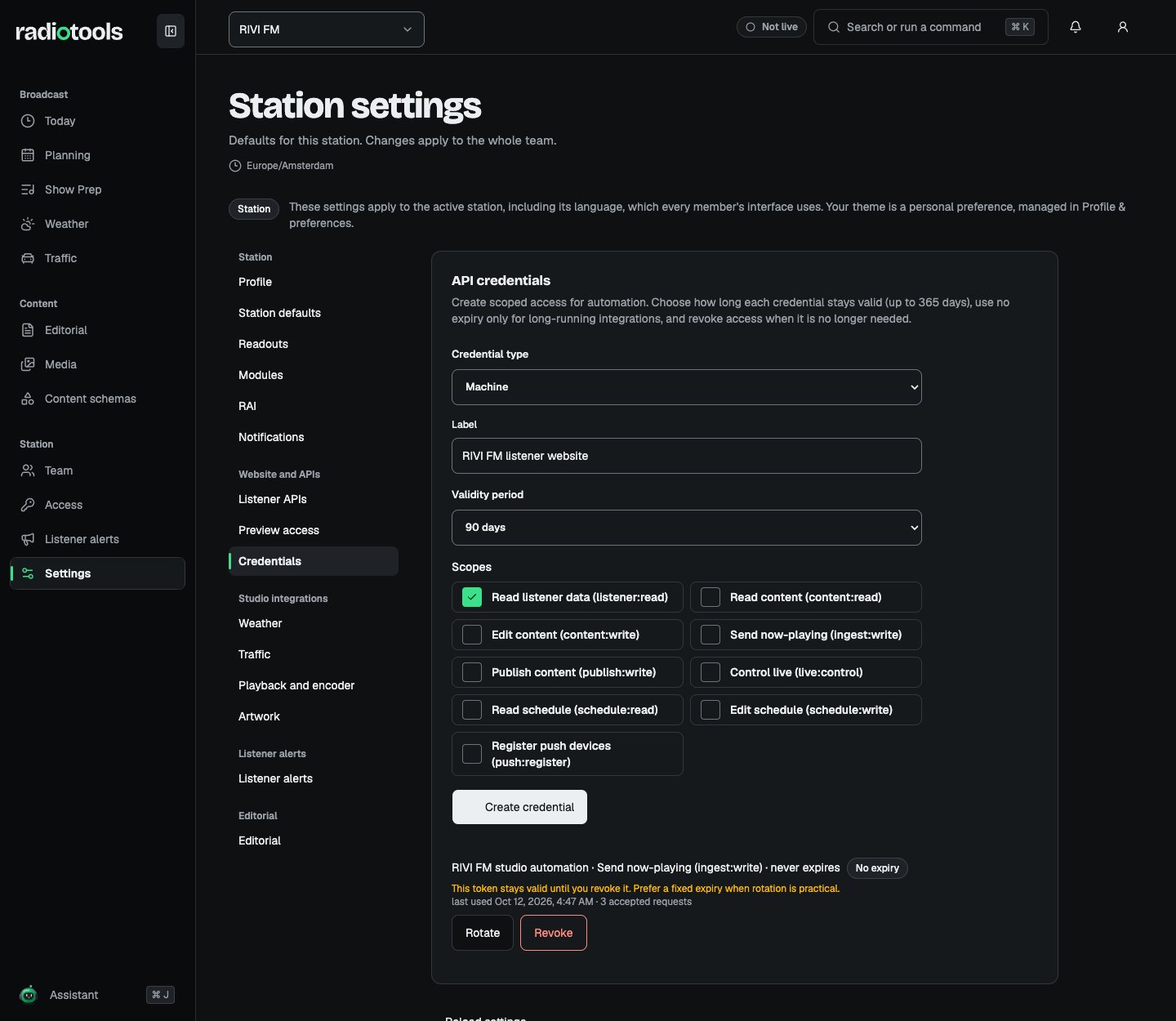
Sample: credential settings for the fictional RIVI FM station. No token is shown.
Create a credential
- Check the active station and open Settings → Credentials.
- Choose the Credential type: Machine for automation, or Integration with Observed playback for track reporting.
- Enter a descriptive Label, choose a Validity period, and select the required Scopes.
- Choose Create credential. Choose Reveal token, then Copy token, and store the secret in the consumer’s secret storage. Choose I have stored it when you finish.
- Test the intended operation and check the credential’s last-used time before relying on it.
Keep listener credentials on your consumer server. Browser and mobile clients call your service, which forwards authenticated requests to RadioTools. Do not put tokens in URLs or shipped app bundles.
Send reported tracks
Configure an Observed playback integration to send metadata to: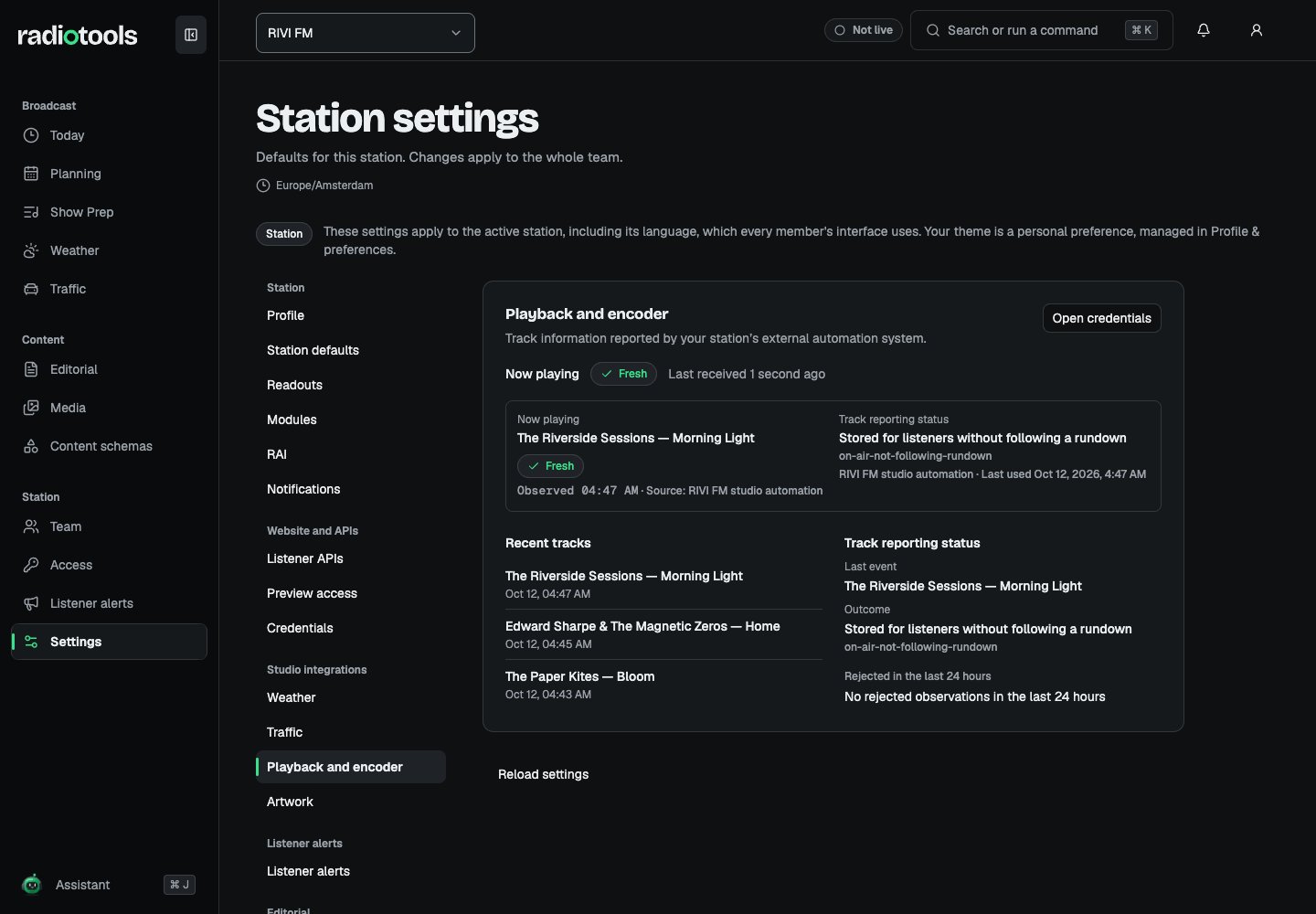
Sample: RIVI FM tracks reported by fictional studio automation.
Rotate or revoke
Before rotating, identify every consumer that uses the credential. Rotate creates a new secret with the same access and revokes the old credential. The new token keeps the old one’s remaining validity. Update the consumer with the replacement secret and confirm successful requests. Use Revoke when access must end. The credential stops working immediately and cannot be restored. Never include secrets in screenshots or support messages.Provider integrations
Some studio features use the station’s own provider accounts. Their credentials are encrypted, never shown after saving, and never included in station exports.
On Listener alerts, use Send a test alert to my device with the push token your listener app shows. The alert goes to that device only. Use Turn off and clear credential to stop sending.
Each integration page shows a status line, such as Fresh, Stale, Waiting, Not configured, or Module off. Station AI does not need a provider credential; see AI settings.
When billing is enabled, creating or rotating credentials and saving a push provider require an active subscription. Restore the subscription before issuing new ones. Listener API switches and redistribution permission remain separate from credential scope.