Download an authorized JSON copy of station records as an owner.
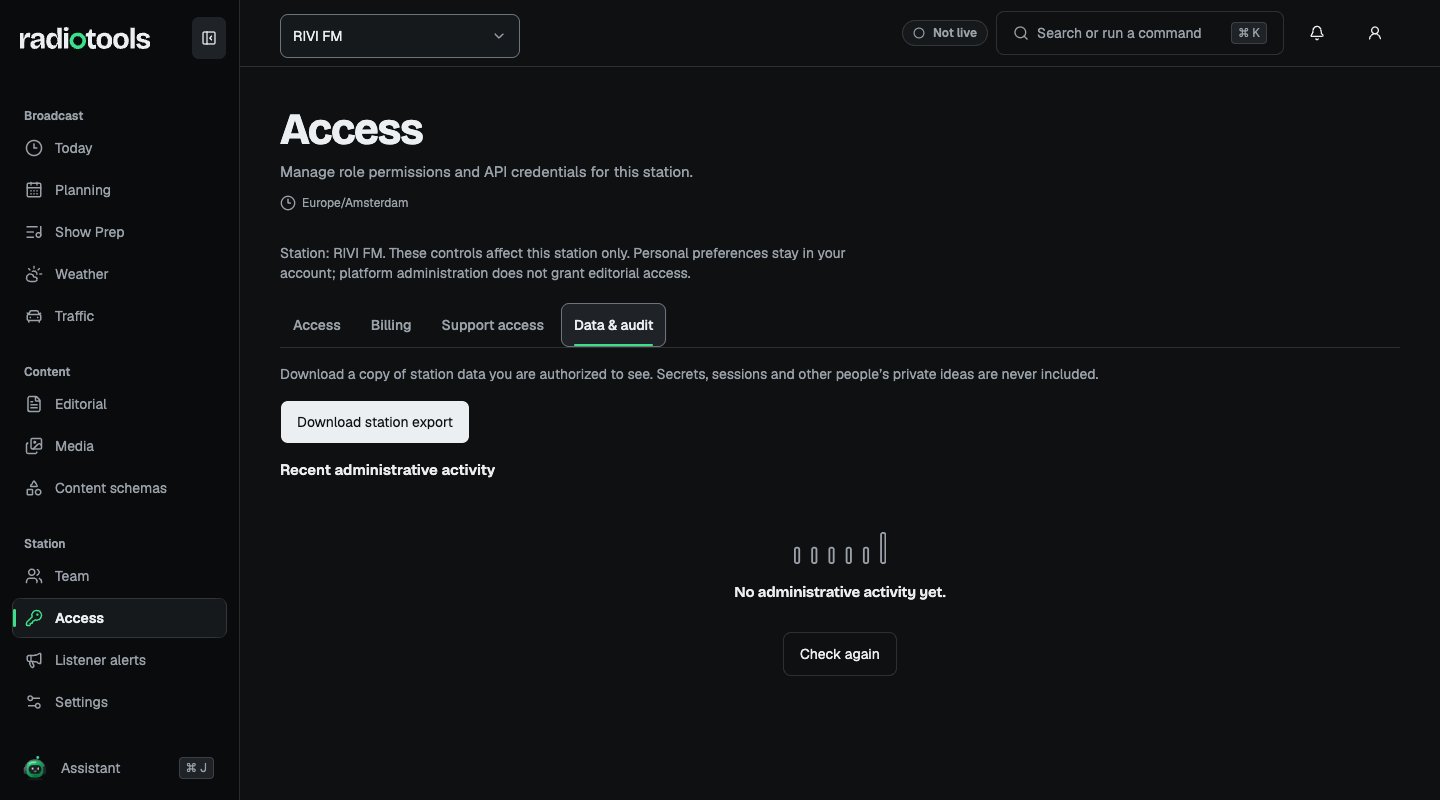
Owners can download a JSON export for backup, migration planning, or review. Open Access → Data & audit, choose Download station export, and confirm with Download. Confirm the active station first, and keep the file somewhere only people who run the station can open.
Sample: the Data & audit tab for RIVI FM.
The export is recorded in the station’s activity log. The same tab lists Recent administrative activity.
The export classifies station tables and applies redaction or exclusion rules. Included data covers authorized editorial records, planning data, preparation metadata, media references, settings, members, invitations, subscription status, and related station records. Data from switched-off modules is included, because it stays with the station.Use the export’s classifications to understand what is included rather than assuming it is a raw database dump. Very large tables are capped and marked as truncated.
Exports exclude raw machine credential secrets, encrypted integration secrets, preview grants, passwords and session tokens, temporary upload state, and personal assistant messages and threads.Private ideas and drafts follow the caller’s normal visibility rules. An owner can receive their own private ideas, but the export does not reveal another member’s private preparation merely because the caller is an owner.
Media file bytes are not embedded. The export contains authorized references; download needed files separately through normal media access.A JSON export is a copy of available station records. Do not assume that uploading it restores a station or recreates a listener website. Confirm the migration or restoration process with support before making operational changes.Export before a platform-coordinated deletion or major migration. Station deletion has its own process and waiting periods.